First Redeem your Bag2Bag Gift Card
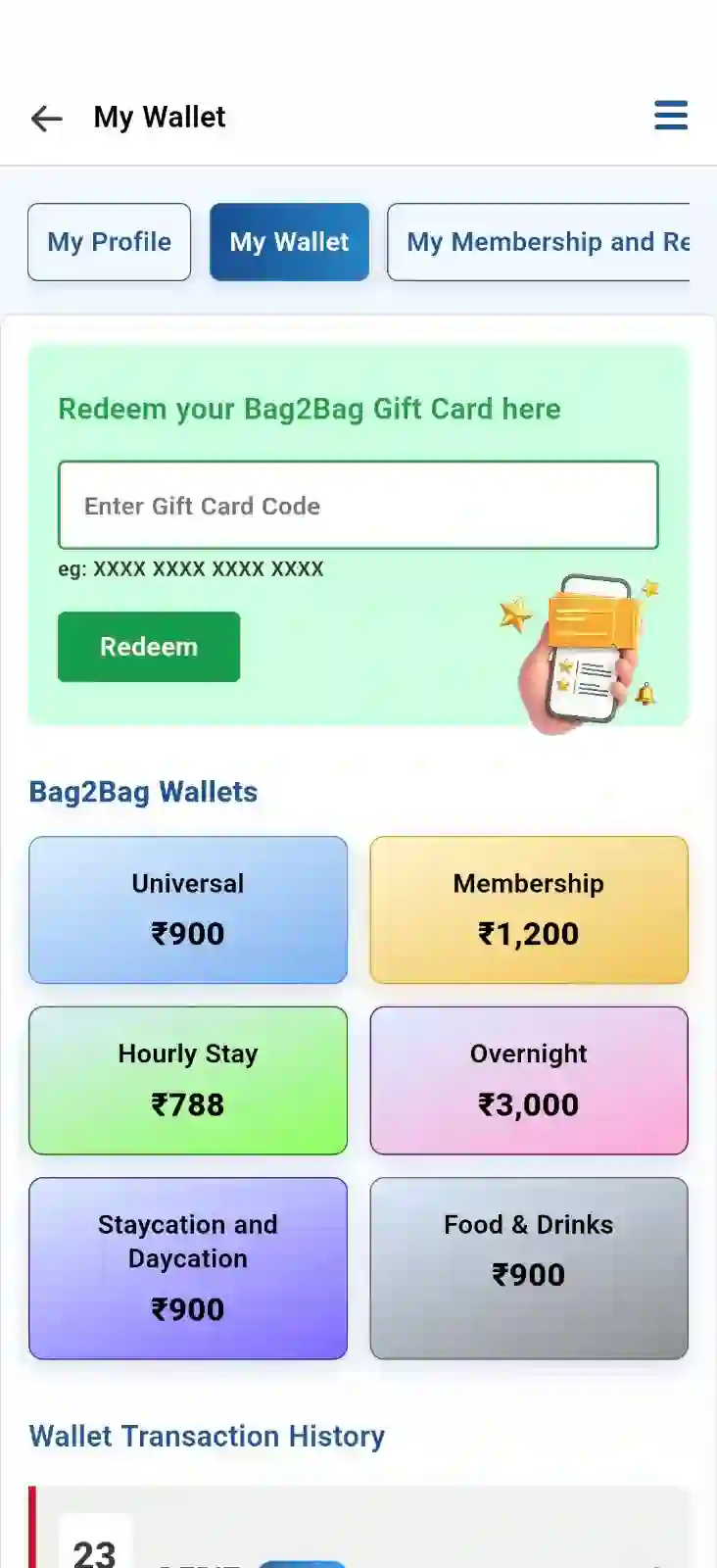
To redeem your Bag2Bag Gift Card, go to the My Wallet section and enter your 16-digit gift card code in the “Redeem your Bag2Bag Gift Card here” field. Click the “Redeem” button to add the gift card amount to your wallet
The amount will be credited to the respective wallet based on the gift card’s feature type, such as Universal, Membership, Hourly Stay, Overnight, Staycation and Daycation, or Food & Drinks. Once the amount is credited, you can view the transaction details in your Wallet Transaction History. Please refer to the screenshot below.
To use your redeemed Bag2Bag Gift Card amount for a booking, follow the steps below:
Step 1
Choose from a range of services, including hourly stays,
hotels, homestays, resorts, and more, based on your needs and
preferences. Refer the screenshot below please
Step 2
Select your preferred city, locality, or property, enter your
check-in date, time, and other details, then click 'Search'.
Please refer the screenshot below
Step 3
You’re now on the list page. Browse through the options and
select the hotel you'd like to proceed with. Refer to the
screenshot below
Step 4
Once you've selected your hotel, you’ll be directed to the
detail page. Finalize your stay details and click 'Select
Room’ . Refer to the screenshot below
Step 5
Choose your preferred room type and click 'Continue’ Refer the
screenshot below
Step 6
Click on 'Book Now' to proceed. Please find the screenshot
below
Step 7
Now, click on either 'Pay Now' or 'Pay Token' to proceed with
your booking. You’re just a step away from redeeming your gift
card
Step 8
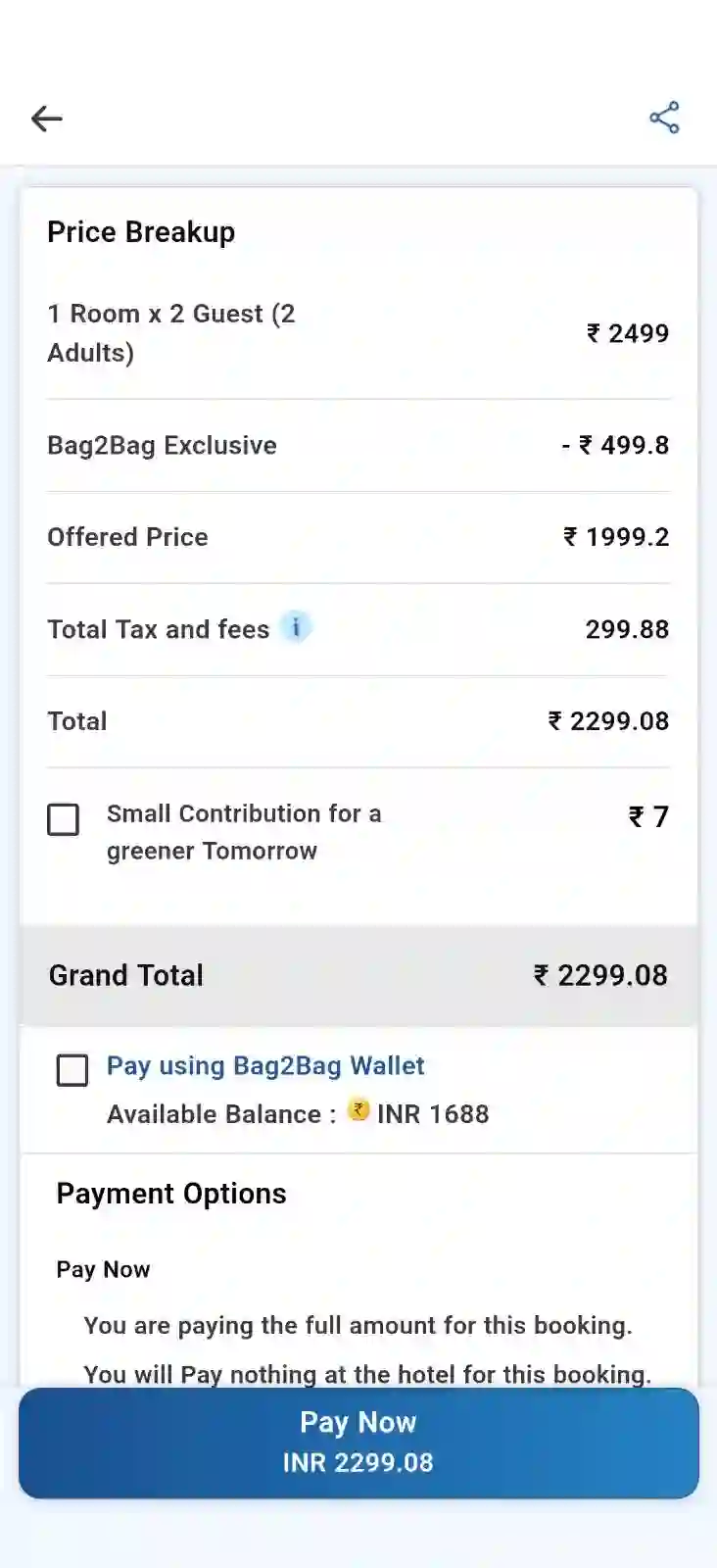
If you have a balance in your Bag2Bag Wallet, enable the “Pay using Bag2Bag Wallet” checkbox on the checkout page. The available wallet balance will be applied to your booking, and the corresponding amount will be deducted from your wallet. If any balance remains payable after using your wallet amount, you can pay the remaining amount using the available payment options.